How to Get Restock Alerts From Every Store in One Place
By Emily Fenton
Updated November 10, 2026
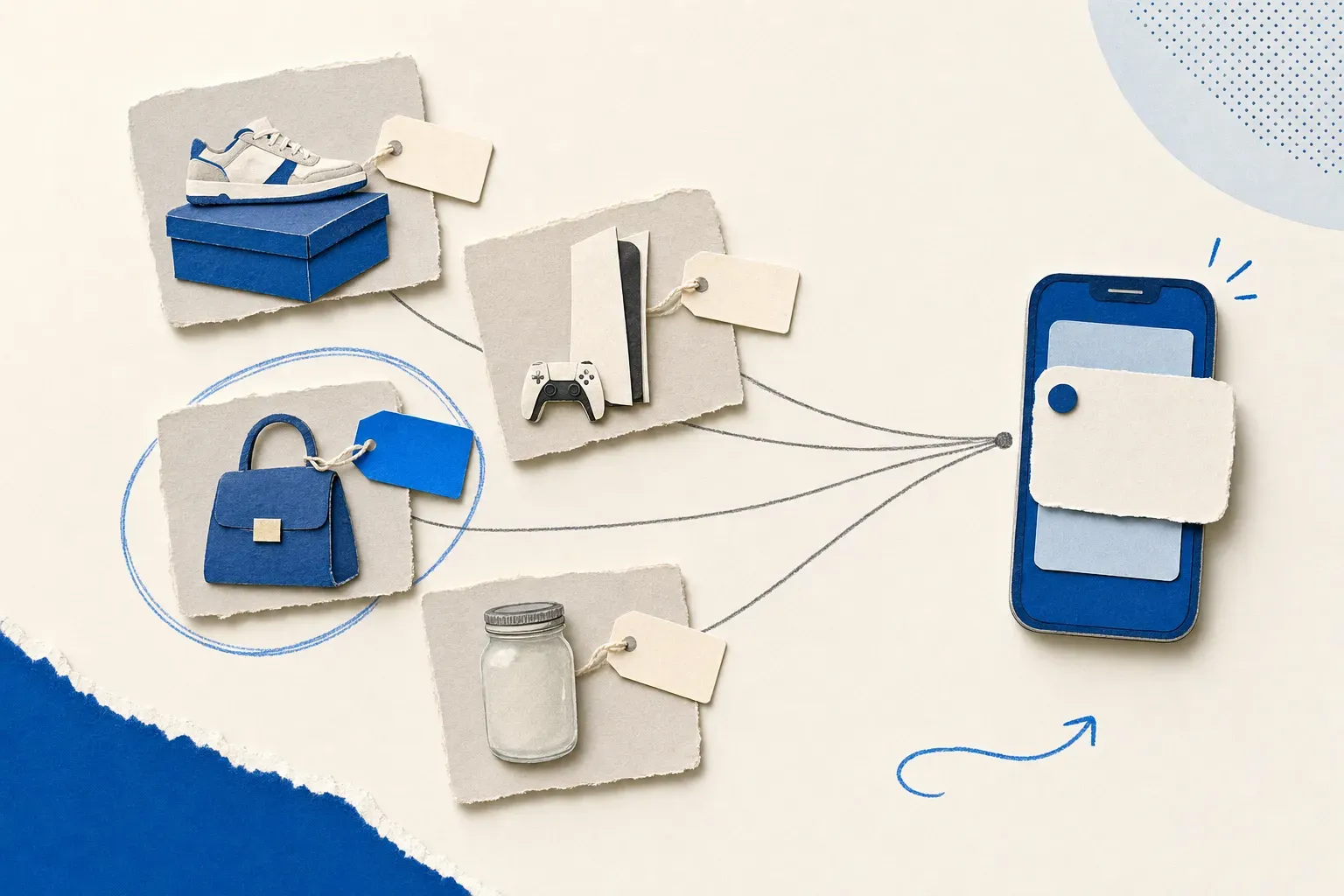
TL;DR: A store's "Notify me" button covers one product at one store, so waiting on several sold-out items means several sign-ups and alerts scattered across your inbox. To get every restock alert in one place, add each product page to Visualping with an "Alert me when" condition such as "my size can be added to cart". All your monitors share one dashboard, and alerts arrive by email on every plan, including Free.
It's 2:23 a.m. and you're refreshing a product page you've already checked a dozen times today. Still sold out. The sneakers you want are sold out at a second store, and the air fryer at a third. You could set three alarms. Or you could get told when each one comes back.
There are two ways to do that: sign up for each store's back-in-stock email, or point one page monitor at every product and read the alerts in one place. This guide covers both, then walks through setting up the second. (For a broader look at restock tools, see how to get restock alerts and back-in-stock notifications.)
Back-in-stock emails from each store
Many stores put a "Notify me" or "Email me when available" button where Add to Cart used to be. You enter your email (sometimes after signing in), pick a size or colour, and the store emails you when that item returns. It's free, and the alert comes straight from the source. For one product at one store, it's often all you need. Our guide to notify-me-when-back-in-stock buttons covers how they work store by store.
The trouble starts when you're waiting on several things at once:
- Every store is a separate sign-up. Five products at four stores means four accounts or forms, and four senders to dig out of your inbox. Some stores also use that address for promotions, so read the checkbox before you submit.
- The store decides what counts. You get the alert the store built, usually for one variant coming back. A price drop, a new colour or "available for pickup near me" is rarely an option.
- Not every page has the button. Preorder pages, limited drops, "coming soon" pages and marketplace listings often don't offer one.
- There's no shared list. Nothing shows you, in one view, which products you're still waiting on and which already came back.
Restock alerts from every store in one Visualping dashboard
Visualping checks almost any public web page on a schedule and tells you when it changes. For a restock, you paste the product page, describe what counts as a restock in the "Alert me when" box (for example, "Size 9 can be added to cart"), and pick how often to check. Visualping's AI compares each detected change against that condition, so a new review or a rotating banner shouldn't trigger an alert, while the Add to Cart button coming back should.
Every monitor you create lands in the same dashboard, whichever store it watches. Each monitor keeps a Timeline of the changes it found, and each change opens a before-and-after view, so you can see what came back and when.
The alerts come from one sender. When the AI rates a change as important, the email subject starts with a siren emoji and "IMPORTANT: change on", followed by the page title. Inside, you get an AI summary of what changed, the added and removed text, the current and previous screenshots side by side, and a link that opens the product page so you can check out.
You choose where alerts go. Email works on every plan, including Free, and so do webhooks, Zapier, n8n and Telegram. SMS (to US and Canadian numbers) comes with Personal 5K and up. Slack, Microsoft Teams, Discord and Google Chat come with Business. Visualping also sends occasional product-update emails; you can switch those off in your email preferences, and your restock alerts keep coming.
What people track restocks on
As of November 10, 2026, Visualping users ran 21,581 live monitors with an "Alert me when" condition about stock ("back in stock", "sold out", "add to cart" and similar), spread across 6,553 websites. The stores with the most were Pokémon Center (1,072 monitors), Costco (879), Best Buy (692), Walmart (576), Zara (570) and Target (509). Of the monitors checking more often than once a month, 40% check more than once a day. (Live means the monitor ran a check in the last 31 days. Visualping's internal accounts are excluded.)
How to set up a restock alert in Visualping
You don't need an account to start. Repeat these steps for each product you're waiting on.
- Copy the product page URL. Use the exact product. If the store gives each size or colour its own URL (many add
?color=or?size=when you pick one), copy that version. - Paste it into the box on the Visualping homepage and click Go. A preview of the page loads.
- Describe the restock in "Alert me when". For example: "This item changes from out of stock to available to add to cart." Visualping also suggests conditions for the page, such as "Availability status of the product changes" or "The 'Add to Cart' button becomes enabled or disabled".
- Pick a frequency in the "Check" dropdown. See the next section for how to choose.
- Enter your email under "Send to" and click Start Free Monitoring.
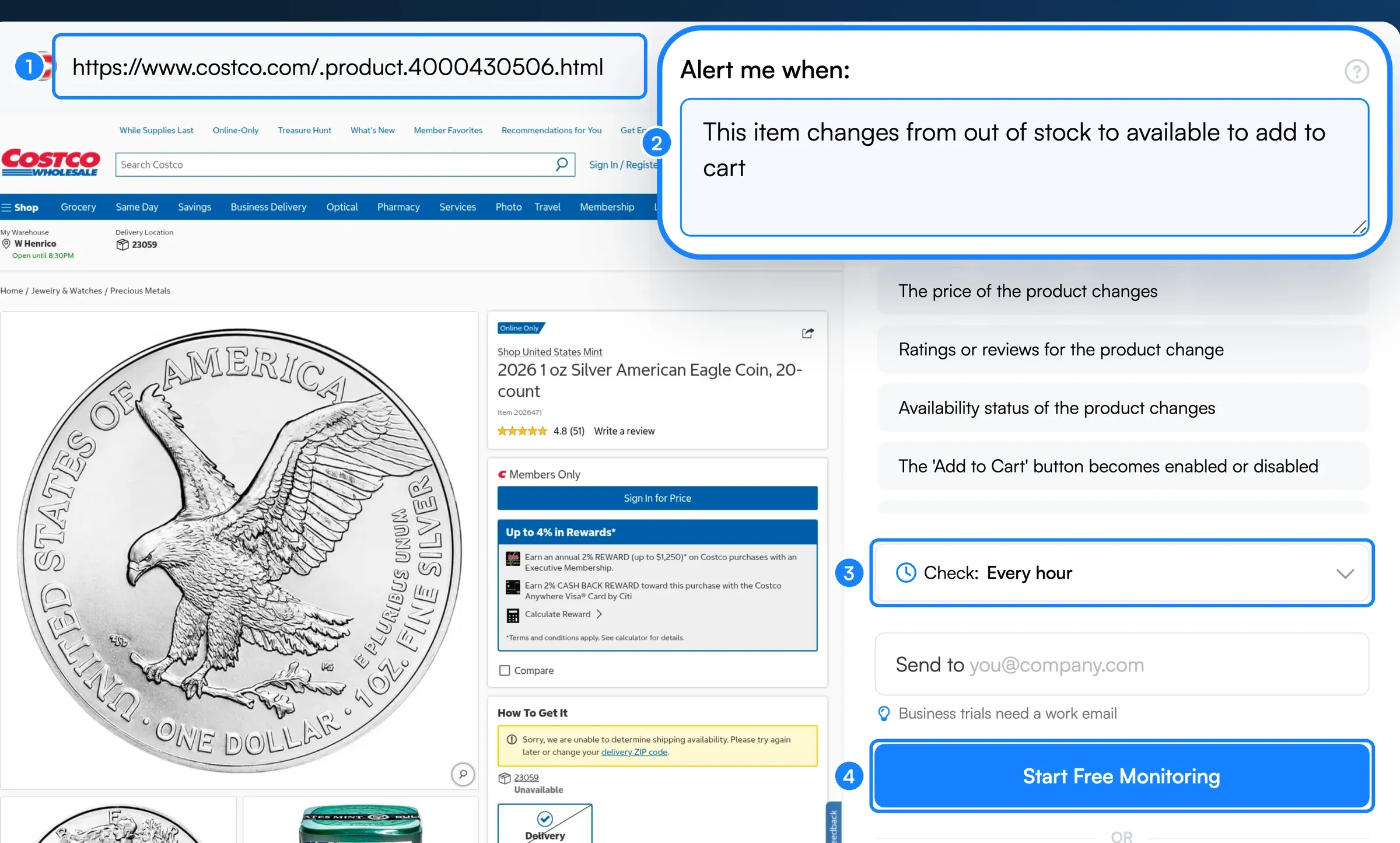 A restock monitor on a Costco product page, set up from the Visualping homepage.
Once you sign in, every monitor sits in your dashboard. Add the next product page from there, and it joins the same list.
How often should a restock monitor check?
As often as the item demands and your plan allows. Each check of one page uses one check from your monthly allowance, so frequency and the number of products trade off against each other.
On the Free plan you get 150 checks a month across up to 5 pages, and the fastest schedule is hourly. That covers about five products checked once a day. One product checked every hour uses about 720 checks a month, which fits Personal 1K (1,000 checks and 10 pages, $14 a month or $120 billed annually, as often as every 15 minutes). Personal 5K ($35 a month) adds SMS and checks as often as every 5 minutes. Personal 10K and Business check as often as every 2 minutes. Full limits are on the pricing page.
A rough rule: a size that trickles back over weeks is fine on a daily check. A hyped drop that sells out quickly is worth your fastest interval. If you know when drops usually happen, the monitor's advanced schedule can limit checks to a daily time window, so your checks go where the restocks are.
Restock bots vs. restock alerts
"Restock bot" can mean two different things. A monitoring tool watches the page and tells you when the item is back, and you buy it yourself. A checkout bot tries to add the item to a cart and buy it for you. Visualping is the first kind. It never adds anything to a cart or completes a purchase.
Restock Discord servers and social accounts are a third option. They're useful for hyped products the group already follows, but they post what the group cares about, to everyone at the same time. A monitor on your own product page covers the exact item, size and store you want.
Tips for catching the restock
- Watch the product page for one item, and a category page for anything new. On a category or "New arrivals" page, write the condition that way: "A new item is added to this page."
- Name the variant in the condition. "Size 8 in black can be added to cart" filters better than "it's back".
- Expect a signed-out view. By default, Visualping loads the page the way a signed-out visitor sees it. Members-only prices (Costco hides them behind sign-in) won't show, but the availability status usually does.
- Look at the first check. Some stores show automated visitors a verification page instead of the product. If your monitor's first screenshot shows one, that page can't be watched this way, so try the store's other listing for the item or another retailer.
- Act on the alert quickly. Popular items can sell out again soon after they return, so keep notifications on for the channel you picked.
Frequently asked questions
Do stores notify you when an item is back in stock?
Many do, through a "Notify me" or "Email me when available" button on the sold-out product page. It covers one item at one store, and the store decides when and how to send the alert. Not every page offers it.
How do I get restock alerts from multiple stores in one place?
Add each product page to one page-monitoring tool instead of signing up store by store. In Visualping, every monitor sits in the same dashboard, and alerts from all of them arrive from one sender by email, or by SMS, webhook or chat app depending on your plan.
Is there a free restock alert tool?
Yes. Visualping's Free plan includes 150 checks a month across up to 5 pages, with email alerts and AI summaries. That covers about five products checked once a day.
Can I get restock alerts by text?
Yes, to US and Canadian phone numbers, on Visualping's Personal 5K, Personal 10K and Business plans. On any plan, including Free, you can also send alerts to Telegram or a webhook.
How fast are restock alerts?
As fast as your check frequency. Visualping sends the alert right after the check that finds the change. The fastest schedule is every 2 minutes, on Personal 10K and Business plans.
Store-specific restock guides
Want to get back in stock alerts?
Sign up with Visualping to get back in stock alerts for any product you've got your eye on.
Emily Fenton
Emily was the Product Marketing Manager at Visualping. She has a degree in English Literature and a Masters in Management.
More articles by Emily Fenton