Walmart Price Tracker With Price History and Drop Alerts
Updated February 27, 2026

TL;DR: Paste any Walmart product URL into Visualping, type an "Alert me when" condition such as "the price drops below $150", choose how often to check and enter your email. Visualping emails you when the condition is met, with an AI summary and before-and-after screenshots. Walmart's Early Black Friday Deals start November 12 and Black Friday Deals run online November 23 to 29 (Black Friday is November 27), so set up monitors now.
Walmart is the largest retailer in the United States by revenue, and its online marketplace now hosts over 100,000 third-party sellers alongside Walmart's own inventory. That means more products, more sellers, and more price fluctuation than ever. Prices on Walmart.com can shift multiple times per day based on competitor pricing, inventory levels, and promotional cycles like Rollbacks and Clearance events.
Without a walmart price tracker, you are either refreshing product pages manually or missing price drops that last only hours. This guide compares the four best ways to track Walmart prices in 2026 so you can pick the right method for how you shop.
How Walmart pricing works (and why tracking saves you money)
Walmart uses a pricing system built around several mechanisms that create constant price movement:
Rollbacks are Walmart's signature temporary price reductions. A Rollback usually lasts up to 90 days, according to Walmart supplier consultancy 8th & Walton, and the end date is not displayed on the product page. When the Rollback ends, the price usually snaps back to its original level without warning, though some Rollbacks become permanent price cuts or move to Clearance, where markdowns only go down. Tracking the price lets you buy during the Rollback window instead of discovering it ended yesterday.
Everyday Low Price (EDLP) is Walmart's baseline pricing strategy, but it applies unevenly across categories. Electronics, seasonal goods, and marketplace seller items often deviate from EDLP with frequent fluctuations. Do not assume "Everyday Low Price" means the price never changes.
Marketplace seller competition adds another layer. Products sold by third-party sellers through Walmart's marketplace can have wildly different pricing from the same item "Sold and shipped by Walmart." The Buy Box equivalent on Walmart.com rotates between sellers based on price, fulfillment speed, and seller rating, which means the default price you see can change depending on which seller currently wins that placement.
Walmart+ early access gives members a head start on big deal events. During Walmart's 2026 Early Black Friday and Black Friday events, select online-only deals are reserved for Walmart+ members for the first 24 hours, then open to everyone. Tracking prices before the event tells you which of those deals are real savings opportunities and which match a price the product already had.
Seasonal events like Walmart Deals (formerly Deals for Days, Walmart's answer to Prime Day), Black Friday, and Cyber Monday create sharp, short-lived price drops across thousands of products. Without a walmart price tracker sending automated alerts, you are competing against millions of other shoppers who are refreshing the same pages.
 Walmart uses several pricing mechanisms that create constant price movement
How to track Walmart prices: 5 walmart price tracker methods compared
Method 1: Visualping (full-page price monitoring)
Visualping monitors any webpage for visual changes. For Walmart price tracking, it watches the actual rendered product page rather than relying on data feeds that Walmart can restrict or delay.
Setup takes about 60 seconds:
- Copy the Walmart product URL
- Paste it into the box on the Visualping homepage and click Go
- When the page preview loads, type your condition in the "Alert me when" box, for example "the price drops below $150", or pick one of the AI suggestions
- Choose a frequency in the "Check:" menu. During sales events, check as often as your plan allows (every 15 minutes on Personal 1K, 5 minutes on Personal 5K, 2 minutes on Personal 10K and Business; Free checks up to hourly). Daily is enough for regular monitoring
- Enter your email under "Send to" and click Start Free Monitoring
What makes it different from other walmart price tracker tools:
- Works in the background without keeping your browser open or an app installed
- Monitors any element on the page: price, stock status, shipping time, seller info, Rollback badges
- Sends email alerts with before/after screenshots so you can see exactly what changed
- Handles Walmart's dynamic page rendering, because it loads the full page in a browser before each check
- Works on any retailer, not just Walmart. You can track the same product on Amazon, Best Buy, and eBay with the same setup process
- Free tier available with paid plans for higher-frequency checks
Visualping can also detect non-price changes on Walmart product pages. If a Rollback badge appears, a product goes out of stock, or the seller changes from "Walmart" to a third-party marketplace seller, you will get an alert. This makes it useful beyond pure price tracking.
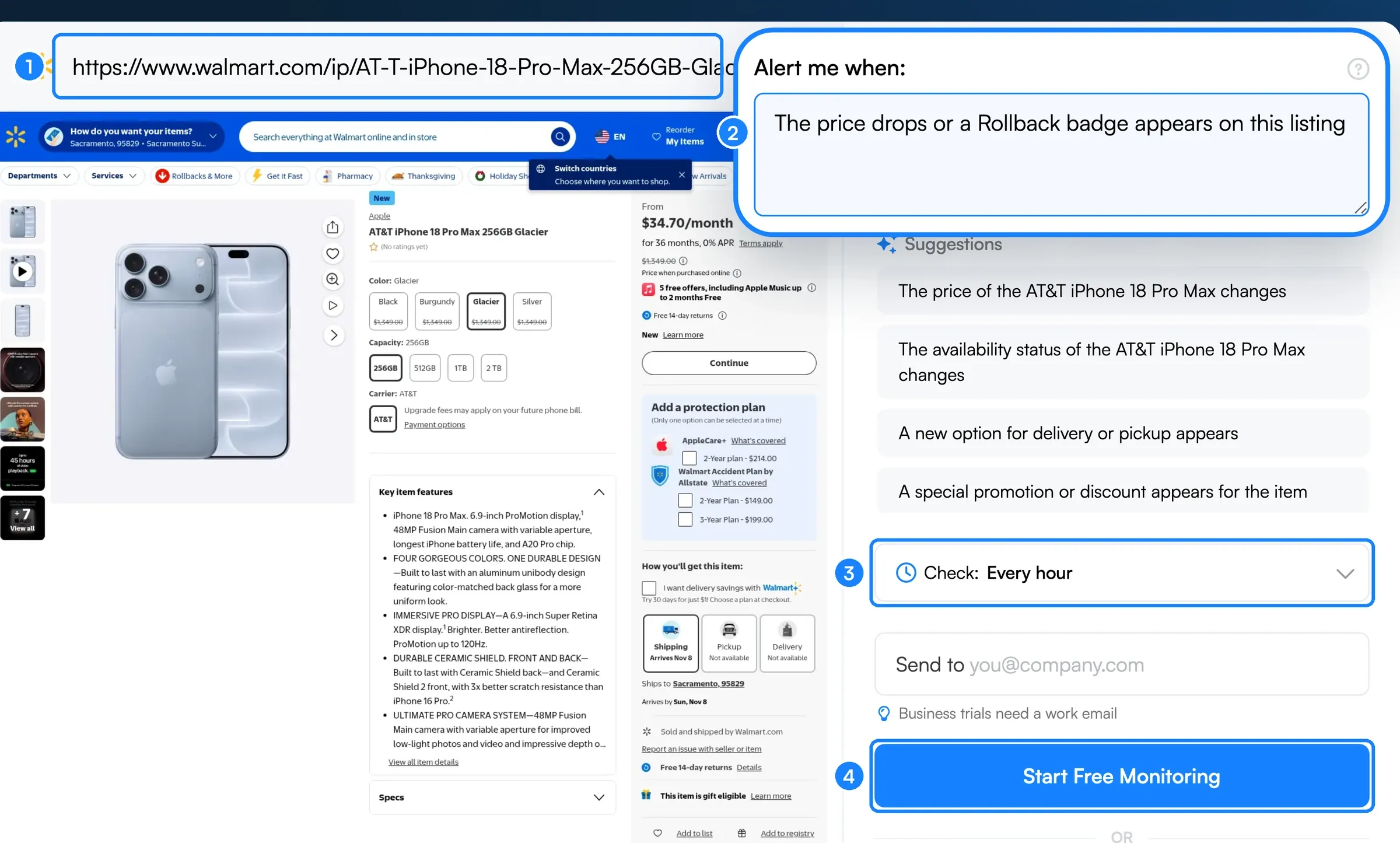 Setup takes about 60 seconds from URL to first alert
Related: Walmart in-stock alerts: how to get notified when items are available
Method 2: Browser extensions (Sellegr8, Waltrack)
Several Chrome extensions show Walmart price history directly in your browser. Sellegr8's free Walmart Price Tracker adds a 12-month price history chart to Walmart product pages. Waltrack, an older option, has not been updated since October 2024, and its alert site, waltrack.net, now redirects to an unrelated website. Visualping's extension works on any retailer, with a one-minute Chrome setup walkthrough.
How to use them:
- Install the extension from the Chrome Web Store
- Browse Walmart.com normally. The extension injects price data on product pages.
- Click the extension icon on a product page to see its price history
- Come back to the page to check the price yourself (as of November 2026, Sellegr8 lists price drop alerts as "coming soon")
Strengths:
- See price history while you are already browsing Walmart
- Quick to set up (just install and browse)
- Some extensions support multiple retailers
Limitations:
- Require your browser to be open to monitor prices (no background tracking)
- Chrome-only in most cases (no Firefox or Safari support)
- Can slow down page loading on Walmart.com
- Extension updates can break functionality when Walmart changes its page layout
- Limited alert customization compared to dedicated tools
Method 3: Walmart app's built-in price checker
Walmart's mobile app includes a walmart price checker feature that lets you scan barcodes in-store to see the current price, check for Rollbacks, and compare online vs. in-store pricing.
How to use it:
- Download the Walmart app and log into your account
- Set the app to your local store
- Tap the scanner icon and scan any item's barcode
- View the current price, any active Rollbacks, and whether the item is cheaper online
Strengths:
- Official Walmart tool, always accurate for current in-store prices
- Works for in-store shopping (something online trackers cannot do)
- Shows Rollback and Clearance status
- Free, no third-party tools needed
Limitations:
- Only shows the current price, not price history
- No automated alerts (you must manually scan each time)
- Cannot set a target price and wait for it to drop
- Does not track prices over time or across sellers
- Designed for in-store use, not for monitoring online prices over weeks or months
The Walmart app is useful for checking whether you are getting a good deal while standing in the store. But for tracking prices over time and getting automatic alerts when something drops, you need a dedicated walmart price tracker like Visualping.
Method 4: Google Shopping price tracking
Google Shopping includes a price tracking feature that works across retailers, including Walmart.
How to use it:
- Search for a product on Google Shopping
- Click "Track price" on the product listing and, if you want, set a target price
- Google sends notifications through the Google app or email when the price drops
Strengths:
- Free and built into Google
- Compares prices across Walmart, Best Buy, Target, and other retailers that list products on Google (Amazon pulled its Google Shopping ads in July 2025, so its prices often do not appear)
- Available on mobile and desktop
Limitations:
- Only tracks products indexed in Google Shopping (not all Walmart products appear)
- Alerts cover price drops only (no stock, seller or Rollback alerts)
- Price history comes from Google's price insights, which cover recent months across sellers and are US-only
- Can be slow to detect price changes compared to dedicated tools
- Relies on Google's product data, which may lag behind real-time Walmart pricing
Walmart price tracker comparison (2026)
| Feature | Visualping | Browser extensions | Walmart app | Google Shopping |
|---|---|---|---|---|
| Price drop alerts | Yes | Not yet (Sellegr8: coming soon) | No | Yes |
| Custom threshold ("alert below $X") | Yes (AI prompts) | No | No | Yes (target price) |
| Price history | Visual diff history | Yes | No | Limited |
| Works on other retailers | Yes (any website) | Some | No | Yes |
| Background monitoring | Yes | No (needs browser) | No | Yes |
| Visual change screenshots | Yes | No | No | No |
| Rollback/Clearance detection | Yes | Limited | Yes | No |
| In-store price checking | No | No | Yes | No |
| Free tier | Yes | Yes | Yes | Yes |
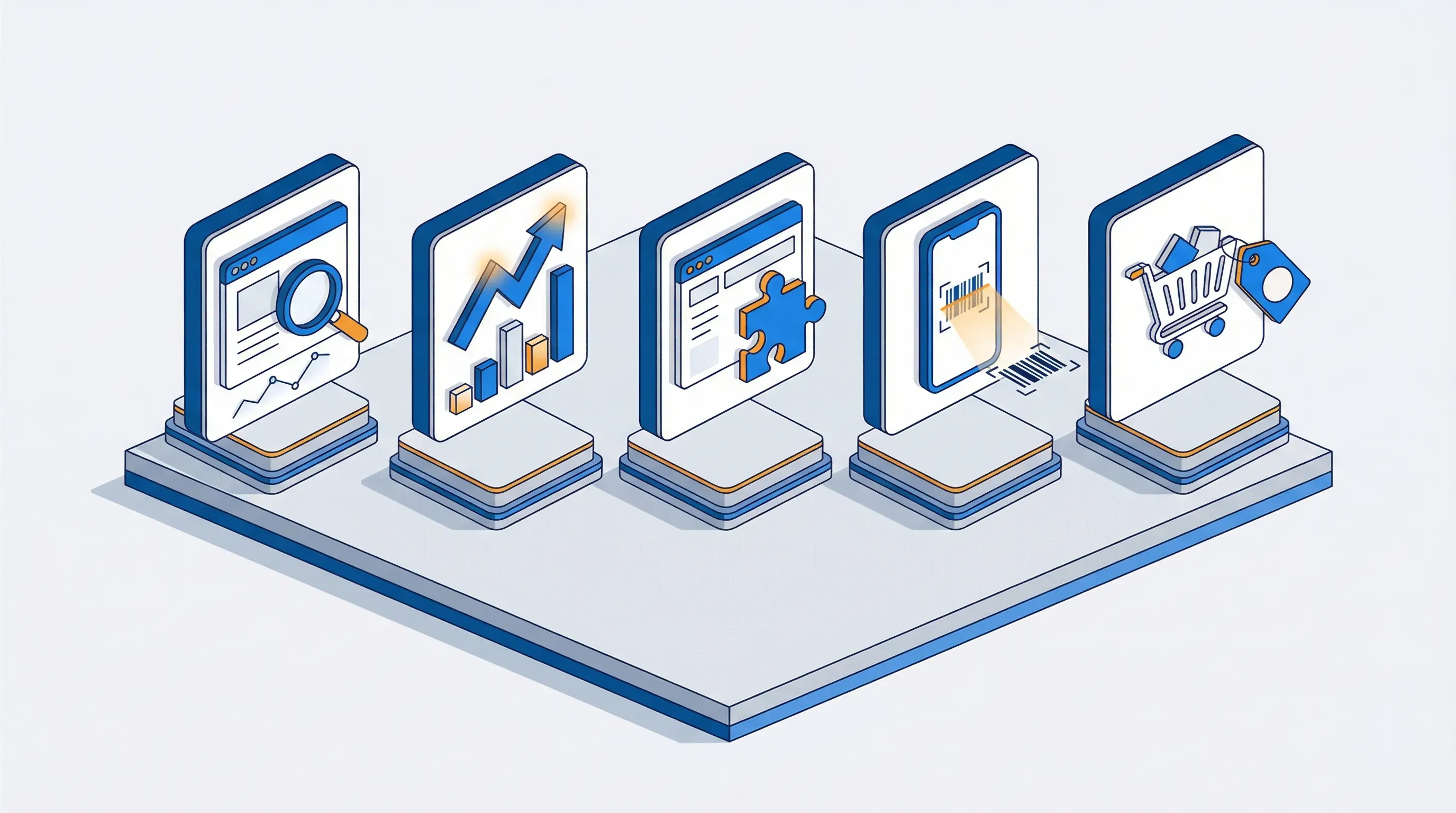 Each method has trade-offs depending on how you shop
How to spot fake Walmart deals and Rollbacks
Price tracking helps you find real savings and avoid manufactured discounts. Walmart shows the earlier "Was" price next to a Rollback, but there are still patterns to watch for.
The Rollback that is not actually a deal. Not every Rollback represents a meaningful discount. Some Rollbacks reduce the price by only a few cents, while the product may have been cheaper at a different point in the year. A walmart price history tracker reveals whether the "Rollback" price is genuinely the lowest the product has been, or just a small dip from the regular price. The FTC advises comparing prices across sellers before you buy. In our 2025 Black Friday tracking, how often a deal had been cheaper earlier in the season depended on the product, from 61% of luggage deals to 4% of backpack deals.
Marketplace seller pricing games. Third-party sellers on Walmart's marketplace can set their own prices. Some inflate prices before promotional events, then "discount" back to the normal range. Always check whether a product is "Sold and shipped by Walmart" versus a marketplace seller before assuming a Rollback is legitimate.
The online-vs-store price mismatch. Walmart sometimes prices items differently online and in-store. A product might show a Rollback online but still be at full price in your local store, or vice versa. Using both an online tracker (Visualping) and the in-store walmart price checker (Walmart app) gives you the complete picture. If your store's price is higher, Walmart stores will match the price of the identical item on Walmart.com, at the store manager's discretion (restrictions apply). Walmart.com does not match competitors' prices or refund the difference if a price drops after you buy.
Tips for verifying Walmart deals:
- Compare the Rollback price against the product's 90-day price range
- Check whether the seller is Walmart or a marketplace third party
- Use the Walmart app to compare in-store vs. online pricing
- Track the price for at least 2 weeks before major sales events (Walmart Deals, Black Friday) to catch pre-event price inflation
- Set your target price below the recent average, not just below the current price
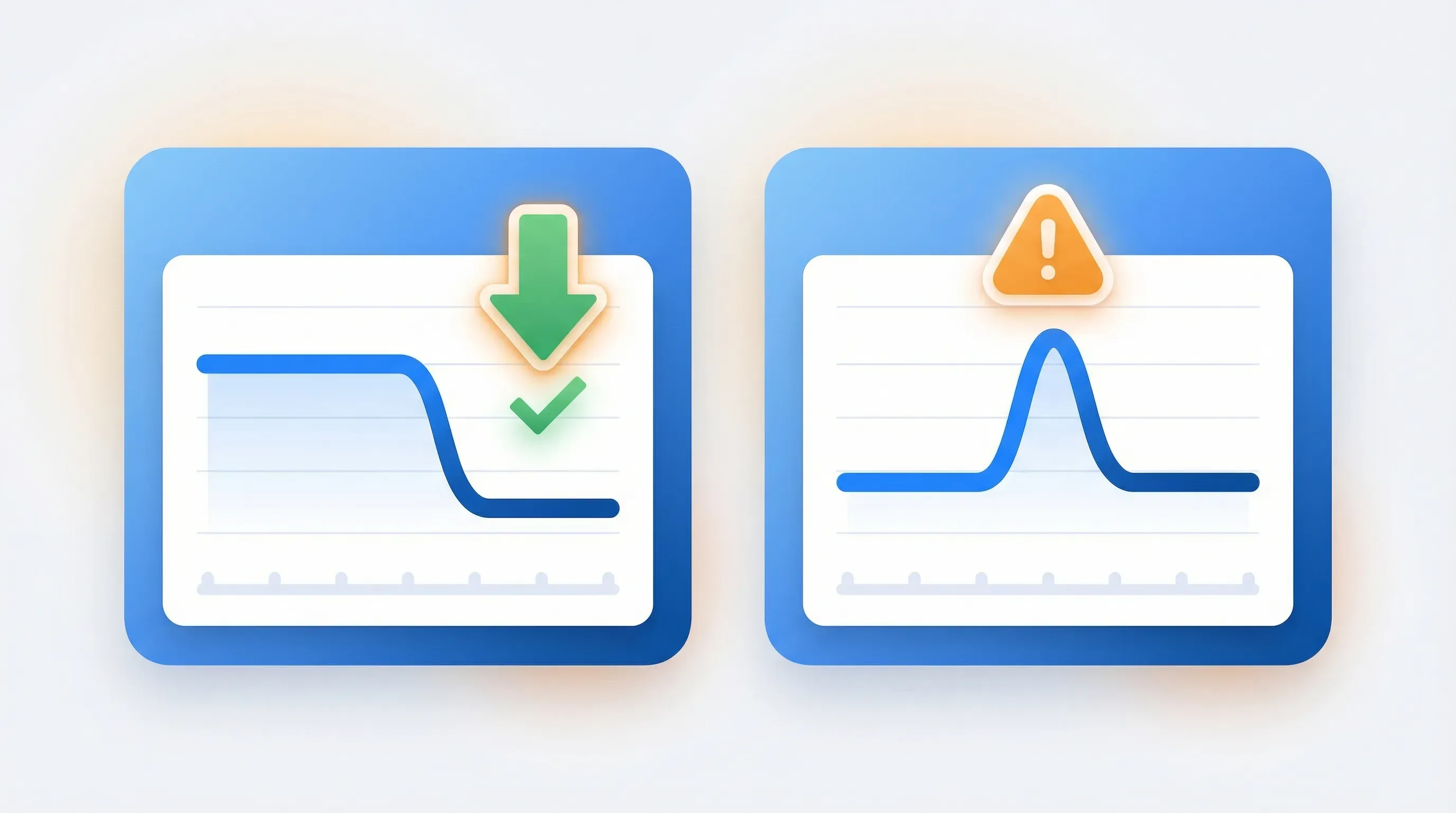 A price tracker reveals whether a Rollback discount is real or manufactured
Go deeper: Amazon price tracking: how to track prices and get drop alerts
Related: Best Buy price tracking
Walmart vs. Amazon vs. Target: cross-retailer price comparison
The same product is often available at Walmart, Amazon, and Target at different prices. Tracking prices on just one retailer means you might miss a better deal elsewhere. Here is how cross-retailer pricing typically works:
- Walmart tends to match or beat Amazon on household essentials, groceries, and basic electronics. Walmart's EDLP strategy keeps these categories competitive.
- Amazon tends to win on niche electronics, books, and long-tail products where its marketplace has more sellers competing on price.
- Target often offers the best deals on home goods, apparel, and seasonal items, especially with Target Circle promotions.
The most effective approach is to use a walmart price tracker that also works on other retailers, then monitor the same product across all three simultaneously. Visualping makes this straightforward: set up one monitor for the Walmart product page, one for the Amazon listing, and one for the Target page. When any of them drops to your target, you buy from whichever retailer has the lowest price.
For a broader look at price comparison tools, see our guide to competitor price tracking tools.
Best practices for Walmart price tracking
Set the right check frequency
- During sales events (Walmart Deals, Black Friday, Cyber Monday): Check every 5 to 15 minutes (15 minutes is the fastest on Personal 1K and 5 minutes on Personal 5K; Free checks hourly). Rollbacks and Walmart's hot Deal drops can appear and sell out within hours.
- For wishlist items you are not in a hurry for: Check daily. You will catch any meaningful drops without using up monitoring credits.
- For competitive intelligence or business use: Check hourly. This captures most pricing algorithm changes without excessive monitoring costs.
Use threshold alerts, not change alerts
Getting notified every time a price fluctuates by $0.50 creates noise. Set a specific target: "Alert me when this TV drops below $350." That way you only hear about changes that matter enough to act on.
Monitor the right page element
Walmart product pages contain a lot of dynamic content: reviews, "Customers also bought" sections, and rotating ads. In Visualping, name the price in your "Alert me when" condition (for example, "the price drops below $350") so the AI ignores changes to reviews, recommendations and ads.
Track Rollbacks specifically
You can set Visualping to watch for the word "Rollback" appearing on a product page. Create a monitor with the AI prompt: "Alert me when this page shows Rollback or Clearance." This catches the start of a promotion even before you know the exact discount amount.
Track marketplace sellers vs. Walmart
If you prefer buying from Walmart directly (for easier returns and consistent quality), monitor the "Sold and shipped by Walmart" designation. Visualping can alert you when the seller changes, so you know whether you are buying from Walmart or a third-party marketplace seller.
Combine price tracking with in-stock alerts
For high-demand items like gaming consoles, limited-run products, or popular toys during the holidays, price tracking alone is not enough. You also need to know when the item comes back in stock. Set up one Visualping monitor for price and another for the "Add to cart" or "Available for pickup" button.
Start monitoring 2 to 3 weeks before you need it
If you know you need a product by a certain date, start tracking well in advance. Walmart prices are unpredictable, but you increase your odds by giving the tracker more time to catch a drop. For holiday shopping, start well before Black Friday. Walmart's 2026 Early Black Friday Deals run November 12 to 15, and its Black Friday Deals run online November 23 to 29, so a monitor you set up now records the regular price before the first event starts. Our Walmart Black Friday guide covers each event's dates, store hours and deal alerts.
 These four habits help you capture every meaningful price drop
Advanced: Walmart price tracking for businesses
Businesses use Walmart price monitoring for higher-stakes use cases than saving on personal purchases:
Competitive pricing intelligence
Sellers on Walmart Marketplace track competitor prices to adjust their own pricing in real time. If a competitor drops their price by 10%, you want to know immediately so you can decide whether to match, undercut, or hold. Tools like Visualping can monitor competitor product pages across Walmart and other marketplaces from a single dashboard.
MAP (Minimum Advertised Price) compliance
Brands that sell through Walmart resellers need to monitor whether those resellers comply with MAP pricing policies. Walmart's marketplace has been growing rapidly, and more sellers means more potential MAP violations. Automated monitoring catches violations faster than manual audits, and Visualping's screenshot evidence can be used in enforcement conversations.
Price parity across channels
Businesses selling on both Walmart.com and their own website (or on Amazon, eBay, and Target) need to ensure pricing consistency across all channels. Walmart's Marketplace Pricing Rule automatically unpublishes offers priced far above what the same item sells for on Walmart.com or a competing website. Monitoring prices across all channels helps maintain compliance and win placement.
Repricing strategy
Understanding how Walmart's algorithm and competitor sellers adjust prices over time helps you build a repricing strategy. Track 5 to 10 competitor products in your category over 30 days to identify pricing patterns, then adjust your own pricing rules based on real data rather than guesswork.
Frequently asked questions
Is there a price tracker for Walmart?
Yes. Several tools track Walmart prices, including Visualping, Google's price tracking, and browser extensions like Sellegr8 that show price history. Visualping is the most flexible option because it monitors any element on a Walmart product page (price, stock, seller, Rollback status) and works on any other retailer with the same setup. For in-store price checking, the Walmart app includes a barcode scanner that shows current prices and Rollback status.
Does Walmart have a built-in price tracker?
Walmart's app includes a walmart price checker that lets you scan barcodes to see current in-store prices and Rollback status. However, it does not track prices over time, set custom price alerts, or show price history. For automated price drop notifications, you need a third-party walmart price tracker like Visualping.
How do I check Walmart price history?
Use a price history extension like Sellegr8, or Visualping, to see how a product's price has changed over time. Sellegr8 shows a 12-month price history chart on Walmart product pages. Visualping takes a different approach by saving before-and-after screenshots each time it detects a change, creating a timeline of exactly how the price and page content have changed. This can reveal Rollback start and end dates, seller changes, and stock status shifts alongside price movements.
What is the difference between a Walmart Rollback and a sale?
A Rollback is Walmart's term for a temporary price reduction. Unlike a traditional sale with a published end date, Rollbacks have no visible expiration. The price usually returns to its regular level when the Rollback period ends, typically within 90 days, though some Rollbacks become permanent price cuts or move to Clearance. This makes price tracking especially important for Walmart: without monitoring, you have no way to know when a Rollback is about to end. Price tracking tools let you spot when a Rollback starts and buy before it expires.
Can I track Walmart prices across sellers?
Yes. Walmart product pages often show different prices depending on whether the item is sold by Walmart or by a marketplace seller. Visualping monitors the visible price on the page, which reflects whichever seller currently has the Buy Box. To track a specific seller's price, navigate to that seller's offer on Walmart.com and set up a separate monitor for that URL.
How accurate are Walmart price trackers?
Accuracy depends on the tool. Price history extensions are only as complete as the data their developer has collected. Visualping monitors the actual rendered page, so it captures the price displayed to a visitor at each check, including changes when a different seller takes over the listing. By default it checks as a signed-out visitor, so it may not show Walmart+ membership early-access deals or your local store's price.
Can I track Walmart prices in Canada?
Yes. Visualping works on Walmart.ca with the same setup process as Walmart.com. Paste the Canadian Walmart product URL, write your "Alert me when" condition, and pick a check frequency. Walmart price history extensions such as Sellegr8 are built for Walmart.com, and Google's price tracking covers only products listed on Google, so Visualping is the more flexible option for tracking Walmart Canada prices.
Want to monitor web changes that impact your business?
Sign up with Visualping to get alerted of important updates from anywhere online.
Eric Do Couto
Eric Do Couto is the Head of Marketing at Visualping. He leads content strategy, growth operations, and brand positioning for website change detection.
More articles by Eric Do Couto